Your food arrives. It looks great. You take a photo on your desk, next to your laptop charger and yesterday's receipts.
We can do better than that.
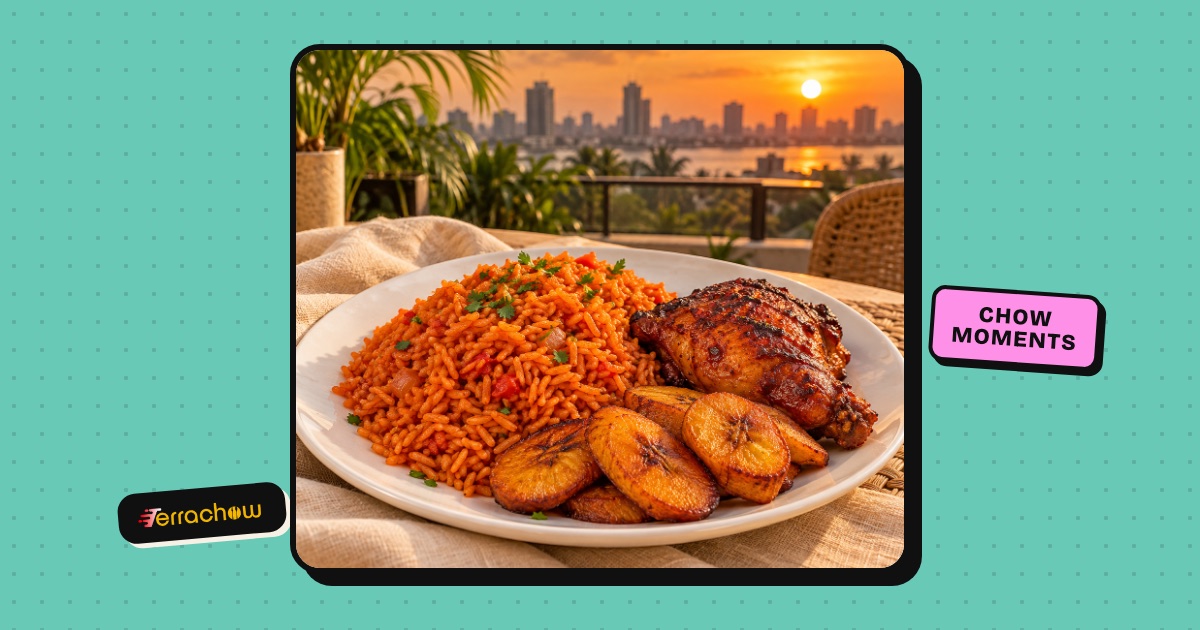
With Chow Moments, you snap your Terrachow meal and our AI serves it in a scene you pick: a Lagos rooftop at sunset, a candle-lit dinner, a beach picnic. It's your actual meal, not a stock photo, ready to share in seconds.
The five scenes
- Lagos rooftop: city lights and golden hour.
- Candle-lit dinner: for when the jollof deserves a date night.
- Beach picnic: sand, sea breeze, small chops.
- Garden café: fresh, green and calm.
- Terrachow pop: bold colours in full Terrachow style.
How to make your first Chow Moment
- Order on Terrachow. Chow Moments work with real Terrachow orders, so every one carries a "Verified Terrachow order" badge.
- Open the order once it's delivered. Go to Orders, tap your delivered order and look for the Snap your meal ✨ card.
- Pick a scene. Choose from the five scenes above.
- Add your photo. Tap Take a photo to snap your meal now, or Choose from photos if you already took one.
- Give it about 20 seconds. We'll plate your meal, set the table and find the best light. You'll see "Loading your scene…" while the finished picture comes in.
That's it. Your Chow Moment is ready.
Tips for a better Chow Moment
- Food only. Chow Moments are made for meals, so keep faces out of the shot.
- Get close. Fill the frame with your food. The AI works best when it can clearly see the meal.
- Use good light. Near a window beats under a dim bulb.
- Open the pack. Take the lid off and let the food show.
- Try another scene. You can make up to 3 Chow Moments per order, so try the rooftop and the beach and keep your favourite.
You can make Chow Moments for an order for up to 7 days after it's delivered.
Share it and earn points
Tap Share to send your Chow Moment to WhatsApp, Instagram, X or anywhere else. Your caption comes with a link, so friends who like what they see can order the same meal on Terrachow.
Sharing also earns you bonus Terrachow points. The Share button shows how many points you'll get.
Find all your Chow Moments
Every Chow Moment you make is saved under Profile → My Chow Moments. Open one to share it again, or tap Remove this Chow Moment if you change your mind. Once you remove it, its share link stops working too.
Snap your next meal
Your next Terrachow order is your next Chow Moment. Order, snap and share, and tag us on Instagram @terrachow so we can see your best scenes.